How to connect the Cruzr?
Like all Android devices, the Cruzr debugs through ADB connection. The only difference is that a specific adbkey needs to be configured.
Preparations
- Configure adbkey
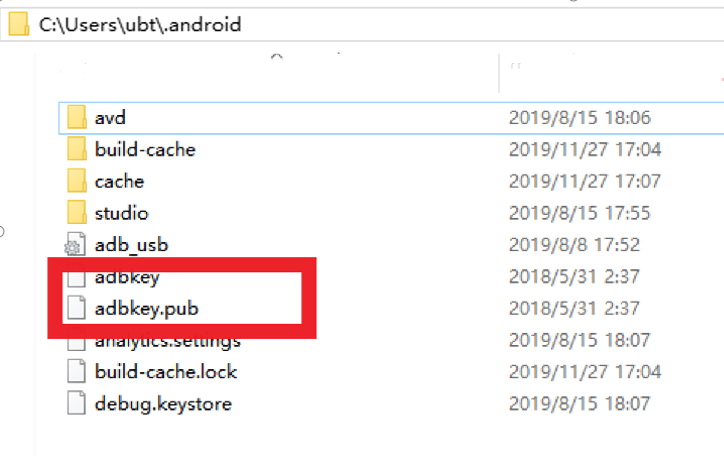
Before connecting the Cruzr through the ADB, you must first configure the corresponding adbkey. There are two files: adbkey and adbkey.pub. Place these two files in the .android folder in the computer user directory. If there is no .android directory, create one.
The computer user's directory is C:\Users\xxxx (xxxx represents the current user), e.g.: C:\Users\ubt. Create a .android folder C:\Users\ubt.android, and then place the above file in this directory, as shown in the figure below. After configuring the adbkey, the way to connect Cruzr is the same for mobile phones and tablets.
2.Configure the ADB environment
Configure the ADB environment, download the adb.exe tool (adb-4.4.rar or use the adb tool in the Android SDK platform-tools directory), and place ADB in a directory such as D:\adb\adb-4.4.
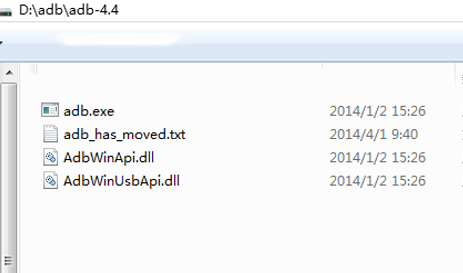
Configure the ADB environment variable.
Connecting the ADB to the robot
There are three ways for ADB to connect to the robot.
- Connect via USB cable
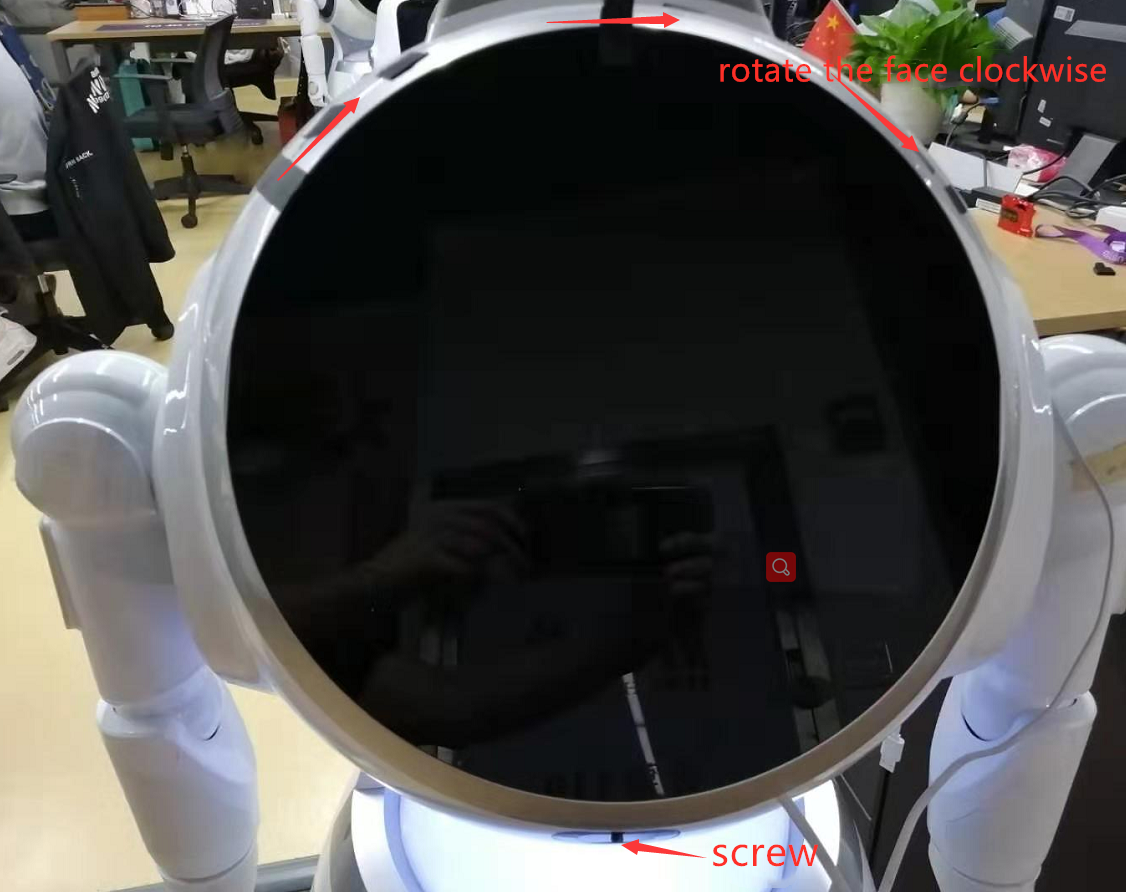
Loosen the screw at the chin, and then rotate the face clockwise, as shown below.
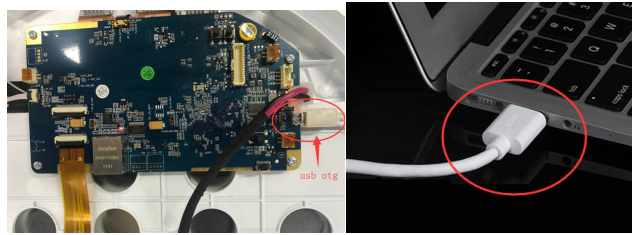
Use a USB cable to connect the robot and the computer as shown below.
Open the cmd window and use ADB devices to check. If it looks like the picture below, it has been successful. Otherwise, please restart the computer and the device, and try again.
.png)
2.Connect via HDMI-to-USB cable
Prepare a HDMI-to-USB cable
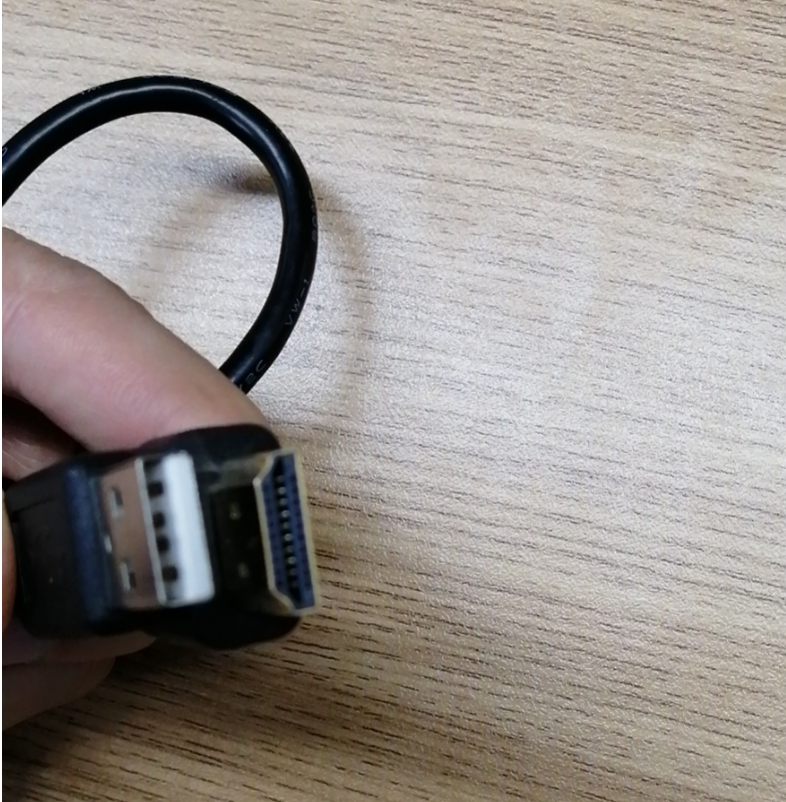
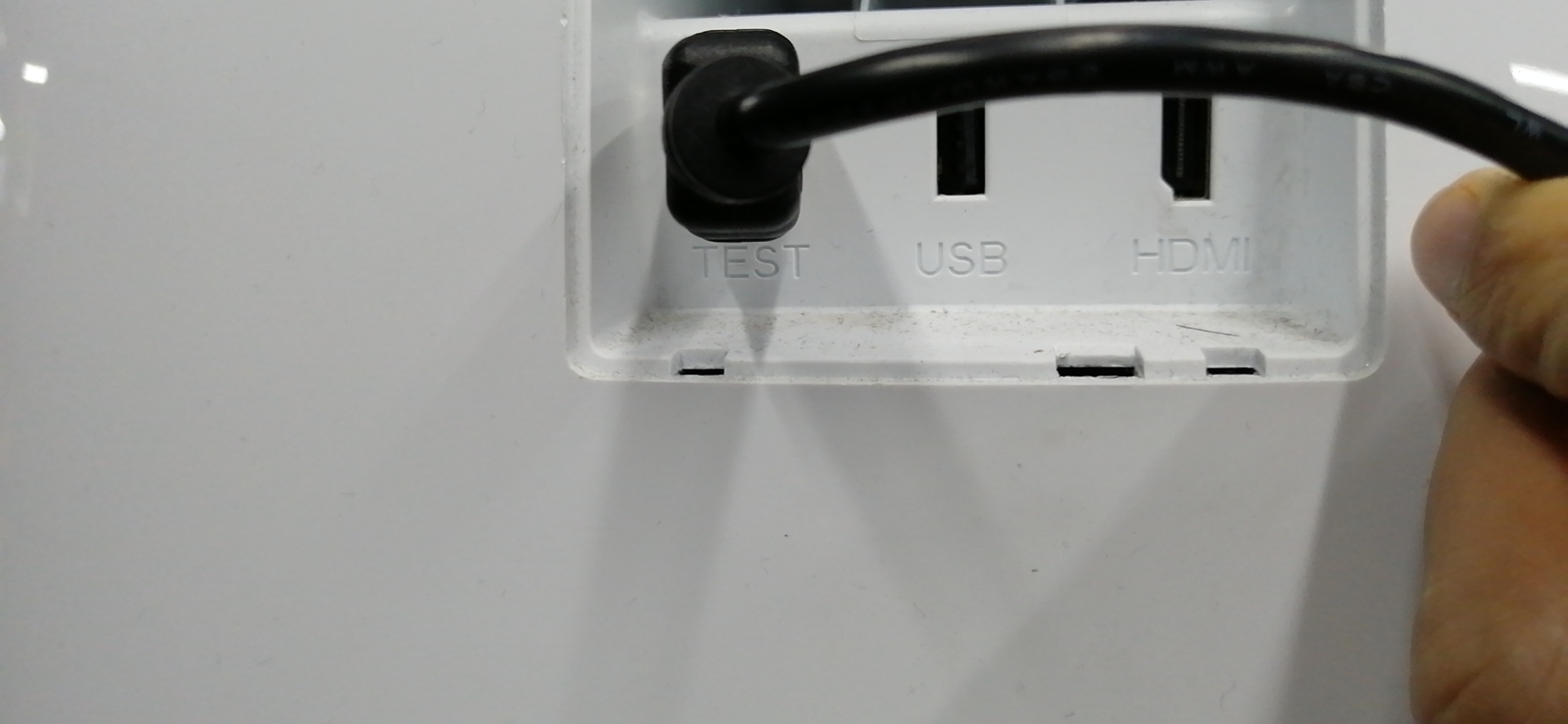
Remove the back cover next to the “emergency stop” button on the robot. Connect the hdmi port with the word "TEST" on it with the hide end, and then connect the robot to the usbm end, as shown in the figure below.
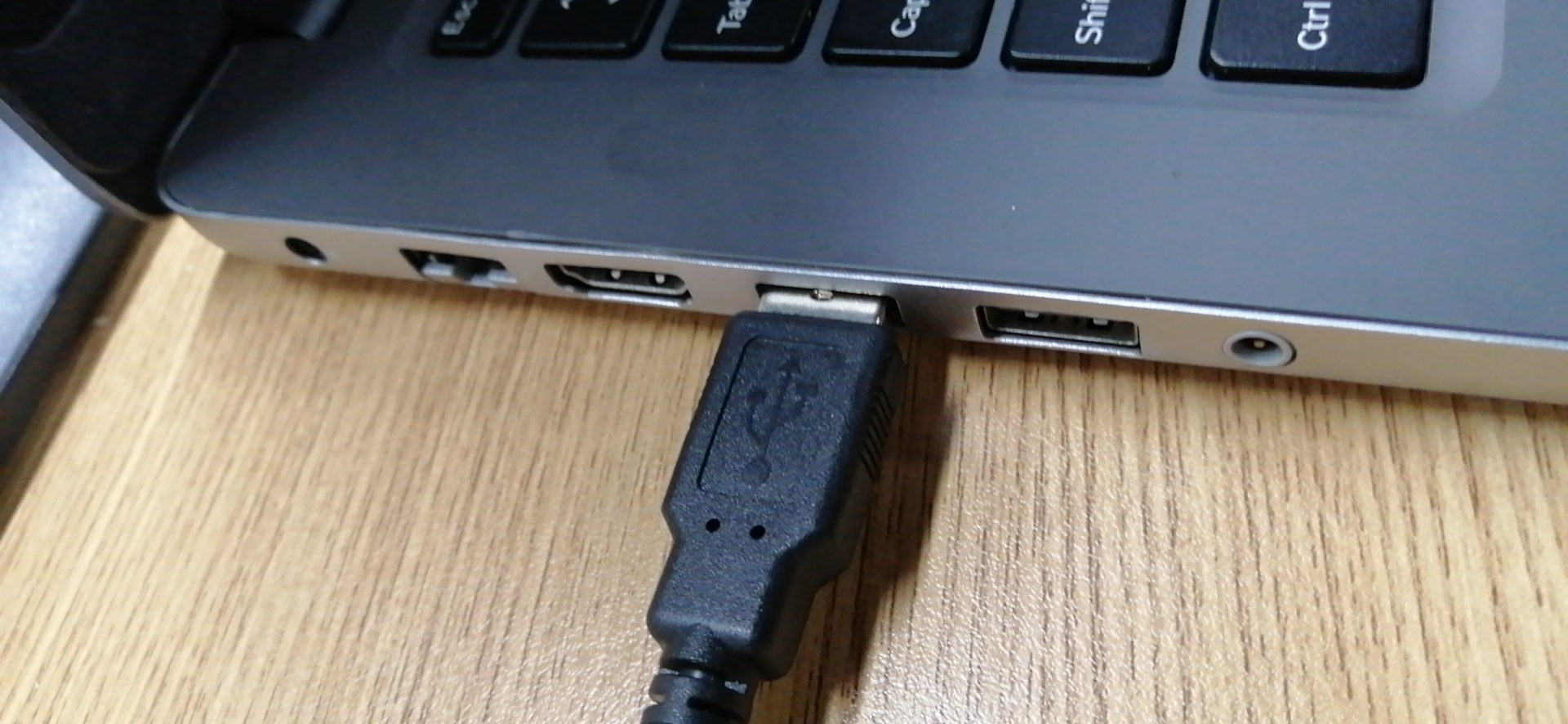
Open the cmd window and use adb devices to check. If it looks like the picture below, it has been successful. Otherwise, please restart the computer and the device, and try again.
3.Connect via LAN
Make sure that the Cruzr Android system's WiFi network is connected to the computer network, and check the Cruzr Android system's WiFi network IP. How to view your IP
Using 10.10.27.42 as an example, execute adb connect 10.10.27.42 in cmd, and then check through the ADB devices. If it looks like the example below, it has been successful.
.png)